Marker Exporter for Premiere Pro
Export, review, correct and exchange Adobe Premiere Pro markers.
Marker Exporter for Premiere Pro is a panel for Adobe Premiere Pro designed for editors, assistants and post-production teams who rely on markers to organise, review and share editorial information. The extension exports to an interactive HTML report — filterable, sortable, with optional thumbnails and PDF-friendly layout —, exchanges with Final Cut Pro, Avid and DaVinci Resolve, and offers an optional AI correction workflow.
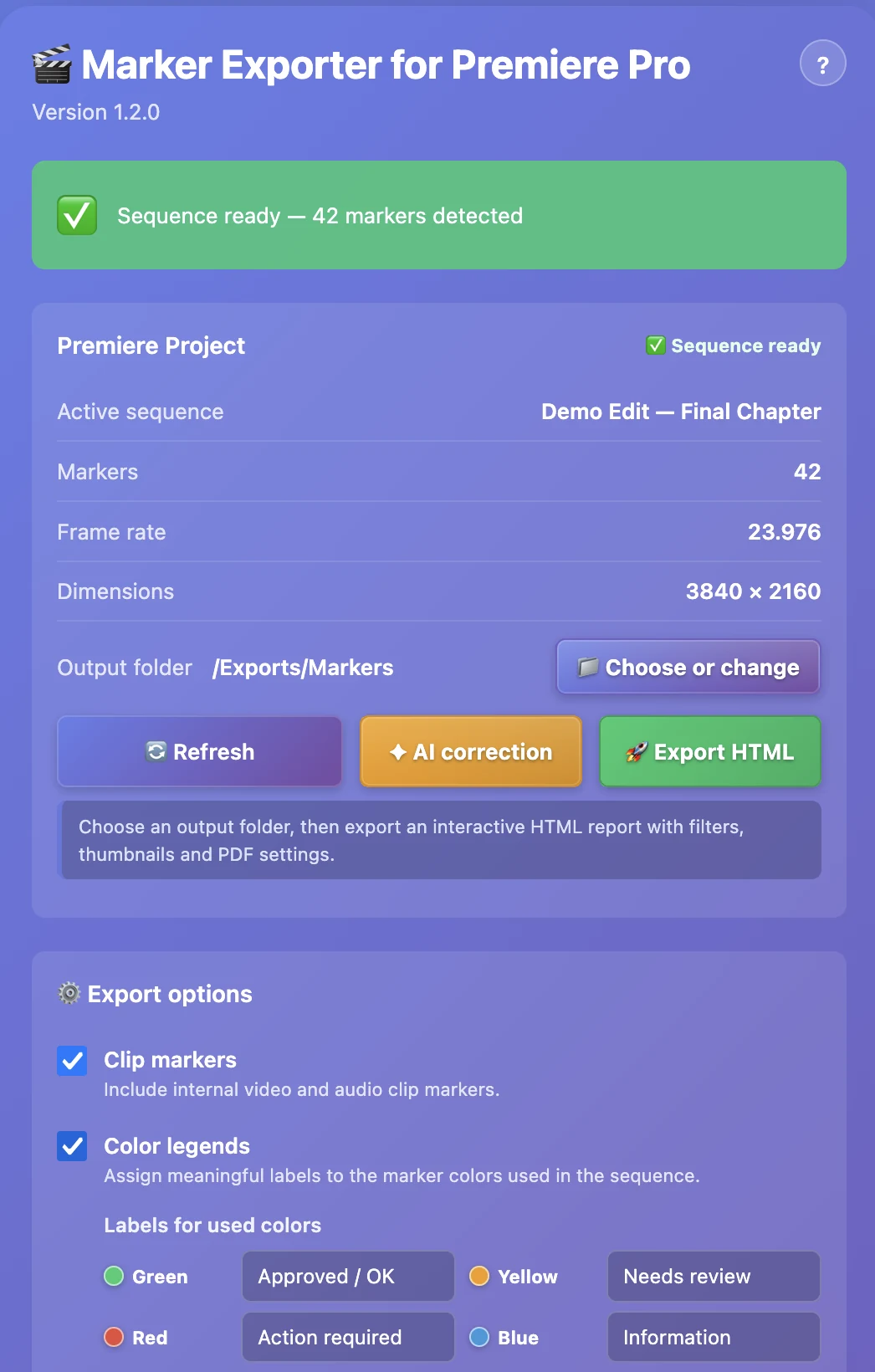
Main interface: marker list, framerate and export actions
The extension is published on Adobe Exchange. You can also download the CEP (.zip) and UXP (.ccx) bundles from this site's downloads page.
Key features
- Interactive HTML report: filters, sorting, embedded search
- Optional thumbnails captured from the sequence
- Browser-side PDF generation, no duplicated layout settings
- Colour legends limited to the colours actually used
- Sequence markers and optional clip markers
- Export to FCPXML, Avid TXT/XML, DaVinci Resolve EDL
- Import Avid / FCPXML / Resolve with validation before writing
- Optional AI correction: MLX, Ollama, Gemini, OpenRouter
- API keys stored via UXP secureStorage (never in code)
- Multilingual UI (FR, EN, DE, IT, ES, PT) and built-in help
Compatibility
- Host application
- Adobe Premiere Pro
- Formats
- UXP (.ccx, 1.3.7) — CEP (.zip, 4.4.1)
- Platforms
- macOS and Windows
- Optional AI
- MLX / Ollama (local) — Gemini / OpenRouter (external)
- Privacy
- Reports and exchanges 100% local; external AI is opt-in
Privacy & security
The extension works locally inside Adobe Premiere Pro. HTML reports and interchange files are written to a folder chosen by the user. AI correction is optional: local providers (MLX, Ollama) keep marker text on the machine; external providers only receive the selected marker text, and only when a personal API key is configured. Support reports are designed to avoid exposing API keys, native paths or private marker text.
Go further
Other free, 100% local tools from the same hub.
- Premiere XML → SRT
Extract Premiere Pro timeline titles (Legacy and Essential Graphics) into a standard SRT file.
- Prproj Doctor — Diagnose and repair
Analyse and repair a .prproj (36 issue types), even a damaged one: duplicate IDs, duplicate markers, orphan references, plugins and fonts.
- Downgrade .prproj
Open a project saved in a newer version of Premiere Pro inside an older one.